01
Design
Sketched on the motor's STEP file: holes on the motor's holes, an R52 edge clear of the gearbox, then plate, base, gussets and a box-section table.
Design · Simulate · ManufactureAI Agent
CAD, CAE, CAM and an AI Agent in one desktop platform. Tell the Agent what you need and watch one part go from design to analysis, milling program and drawing.
A real nForme screen recording, one job from start to finish, played 3× faster
Windows desktopCloud data management · coming
The platform
01
Sketched on the motor's STEP file: holes on the motor's holes, an R52 edge clear of the gearbox, then plate, base, gussets and a box-section table.
02
A 4 kg motor, gravity and 20 N·m of torque on the welded set: 12 MPa peak stress, and the Agent sums up whether it is safe.
03
Sheets with automatic dimensions; the welded set gets its cut list and balloons.
04
The flat plate in a vise: face, drill, profile, flip and face the back, simulated, then Fanuc G-code.
AI Agent
One Agent works in every workbench. Each clip below is a real session in nForme, from the typed request to the finished work, sped up while it waits.
How it was made
Modelled whole with nForme's surface tools. The clip replays its history; this one was not made by the Agent.
In the clip
History replayed faster
The request
Design a Formula Student frame in welded steel tube, about 2.4 m long and 70 cm wide, roll hoops in front of and behind the driver, round tube about 1 inch, and give me the tube cut list. Then check it as beams: driver 80 kg, engine 60 kg.
In the clip
About 17 minutes in real time, shown faster
The request
Plan the milling for this part: aluminium 6061 in a 6 inch vise, machined on the top and the bottom. Pick the tools, set everything up and renumber the tools.
In the clip
About 3 minutes in real time, shown faster
The request
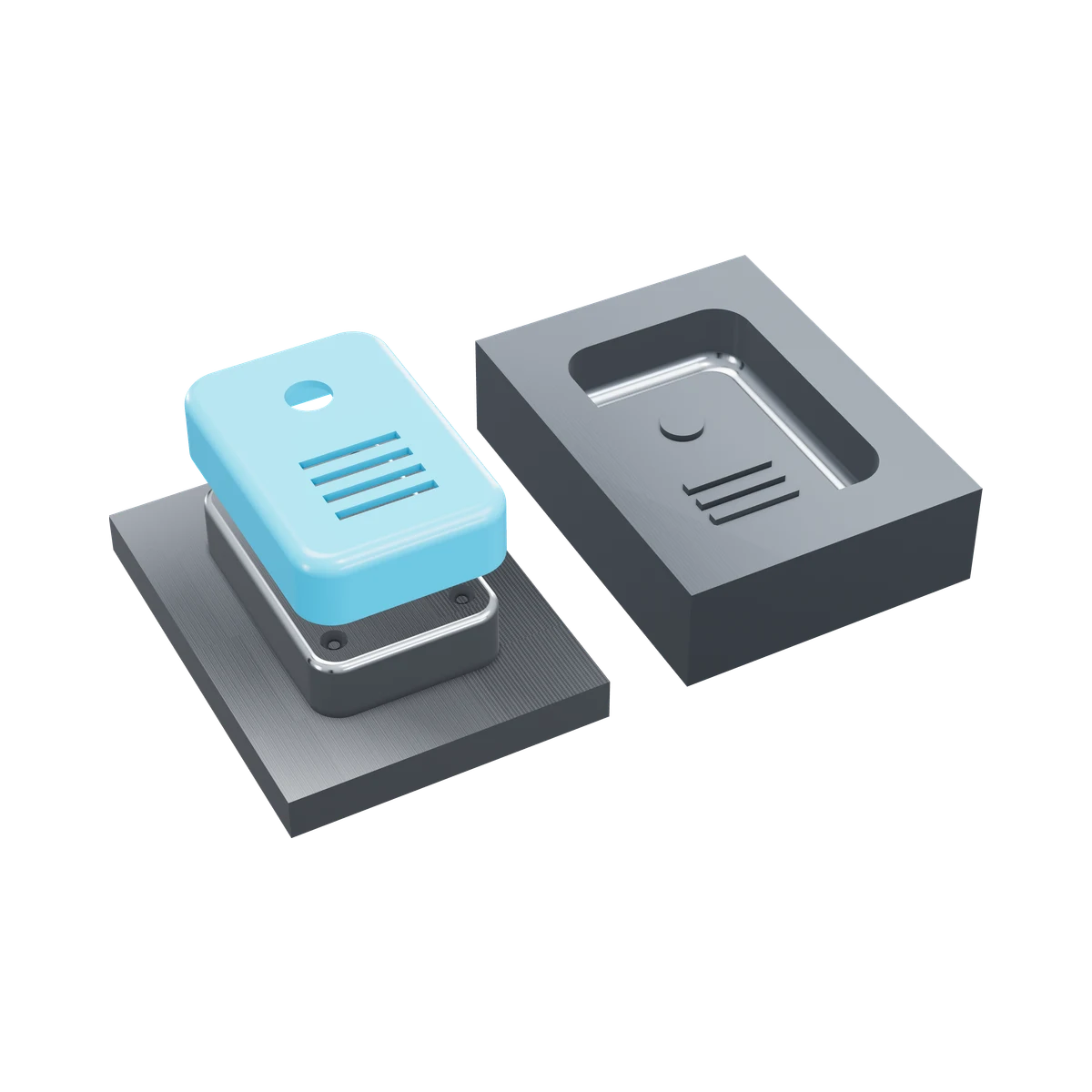
Check whether this cover can be injection molded: ABS, 0.5 percent shrink, pulled along Z. If it can, make the core and cavity.
In the clip
Sped up while the Agent works
Connect your own AI through MCPnForme has its own MCP server, so Claude Desktop, Claude Code and other AI apps that speak MCP can design, analyse and program machining in nForme directly.
Real screens from nForme Studio
Each discipline has its own workbench, with the same ribbon, history tree and 3D view. Change the job without changing how you work.
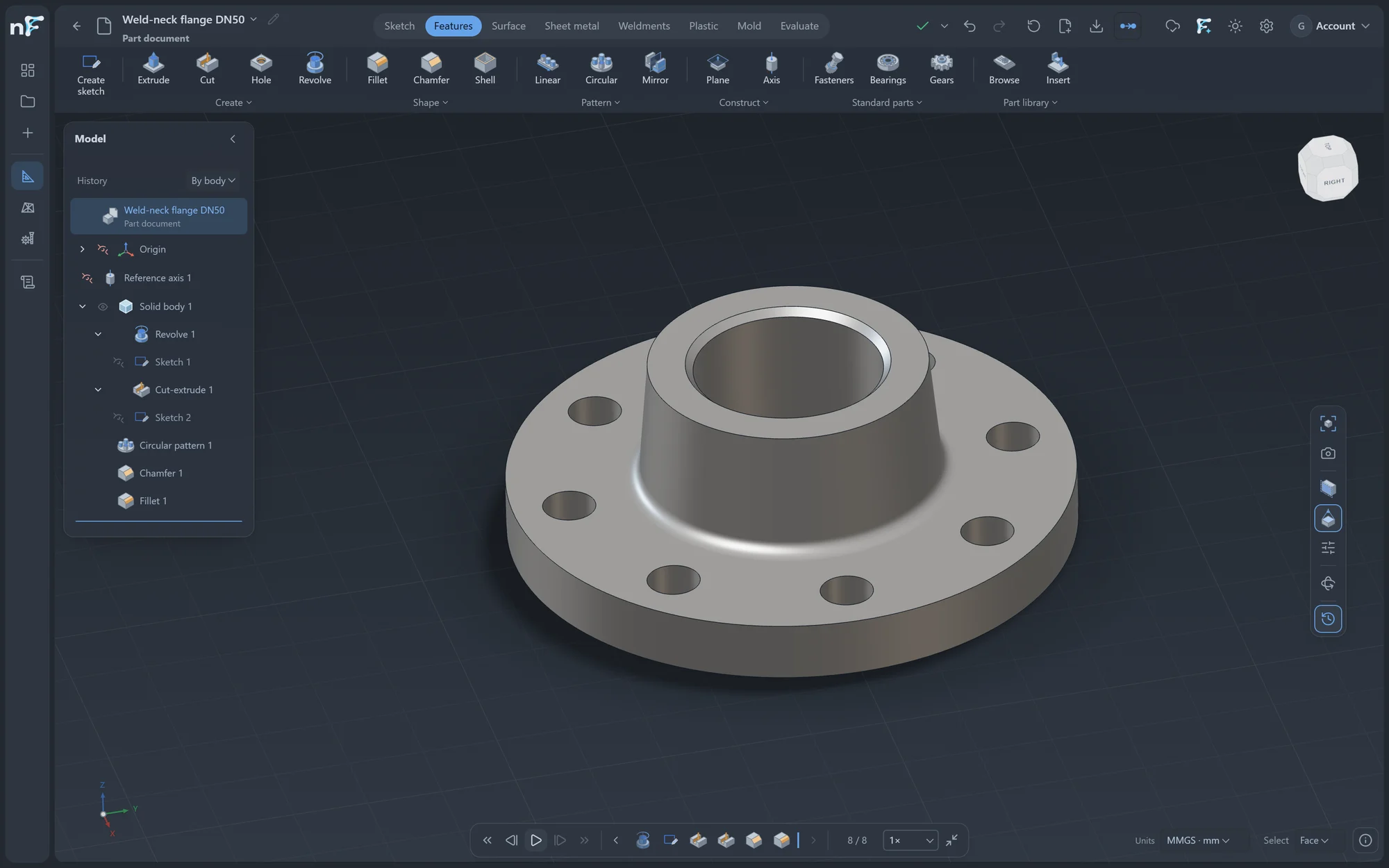
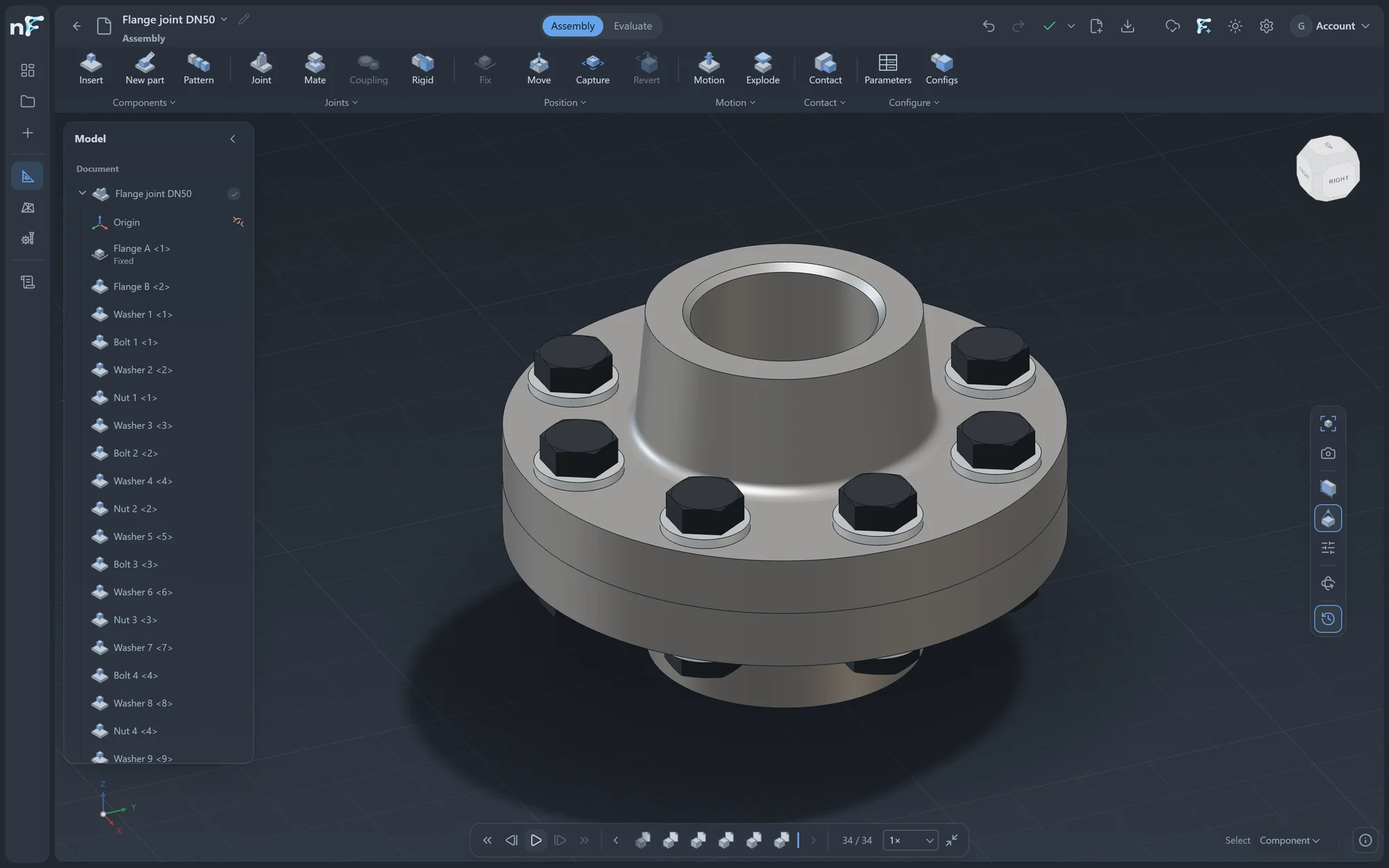
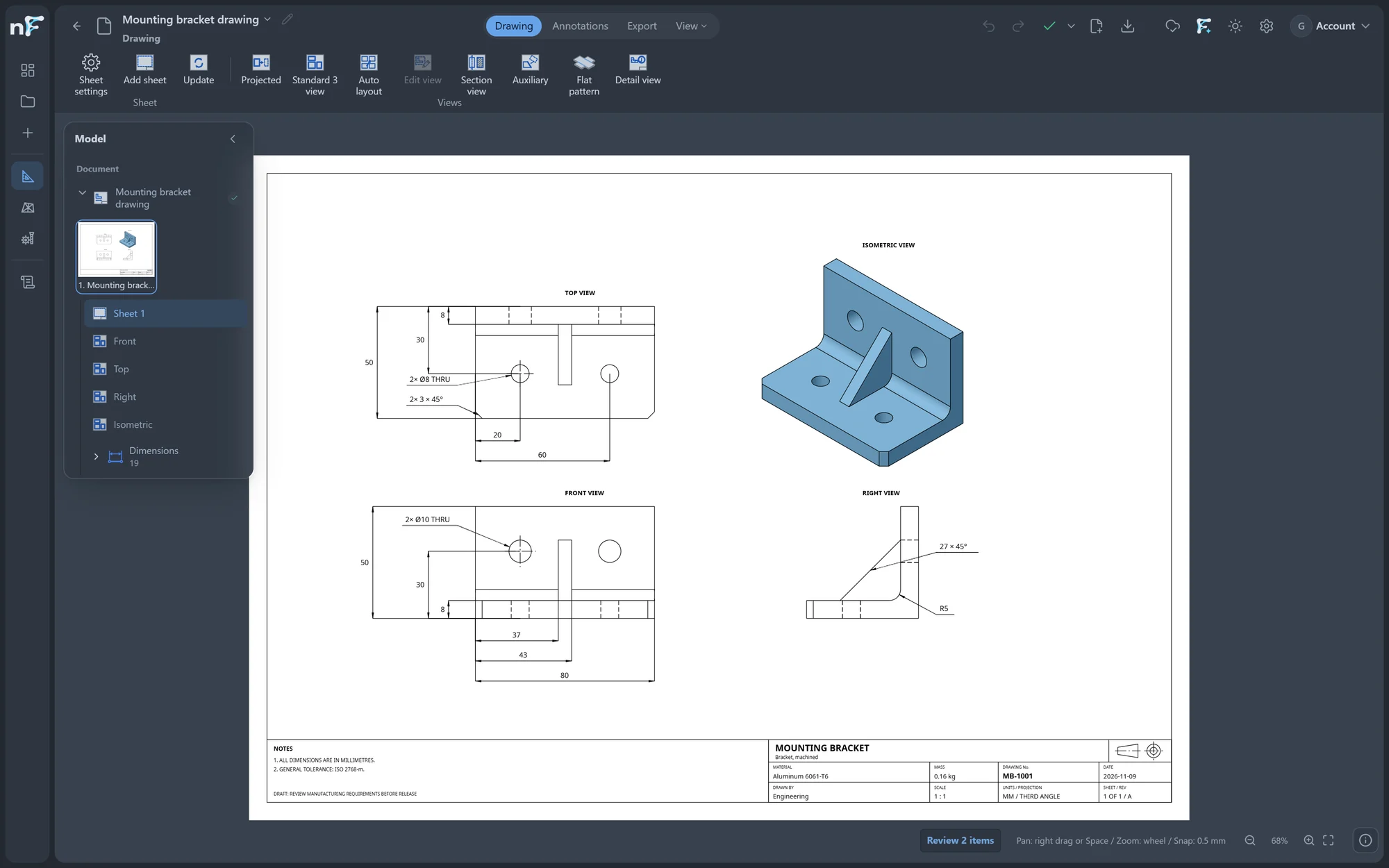
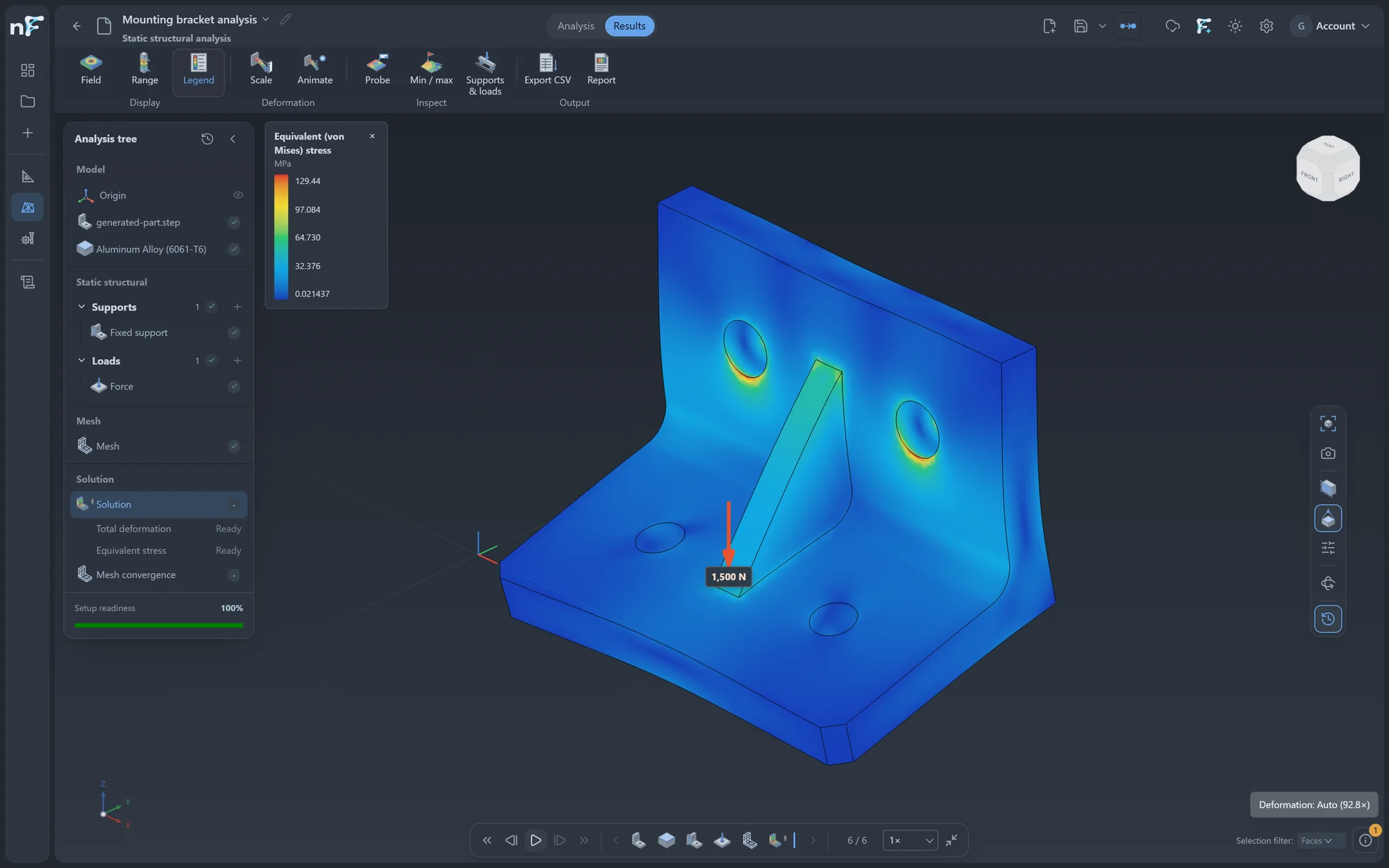
01 · Design
Every feature is checked for valid geometry before it is saved, and every part exports to STEP. This planetary set was built in nForme and turns at its true ratios.
Constrained sketches, parametric solid and surface features, patterns and a full history tree.
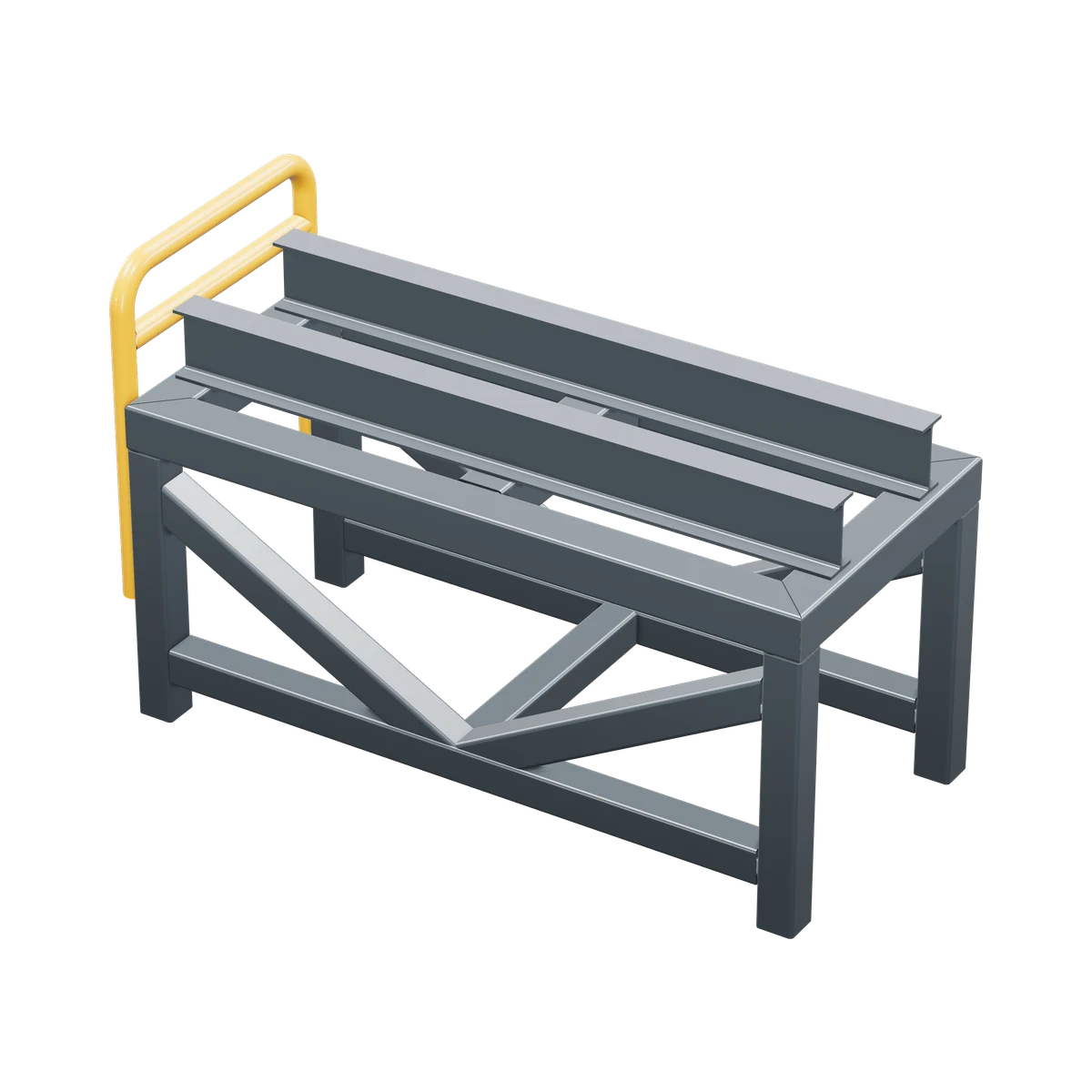
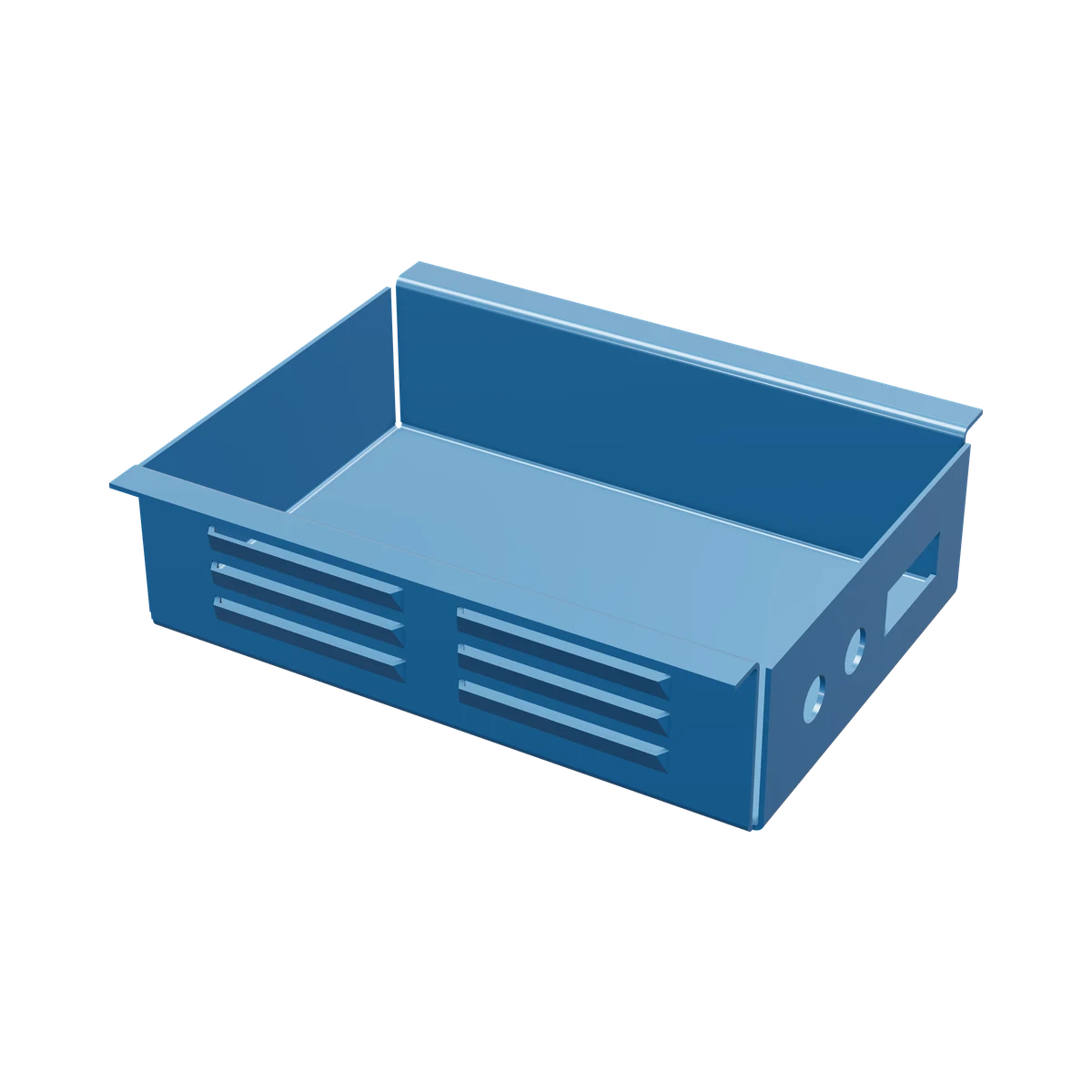
Folded parts with flat patterns, and welded frames from structural profiles.
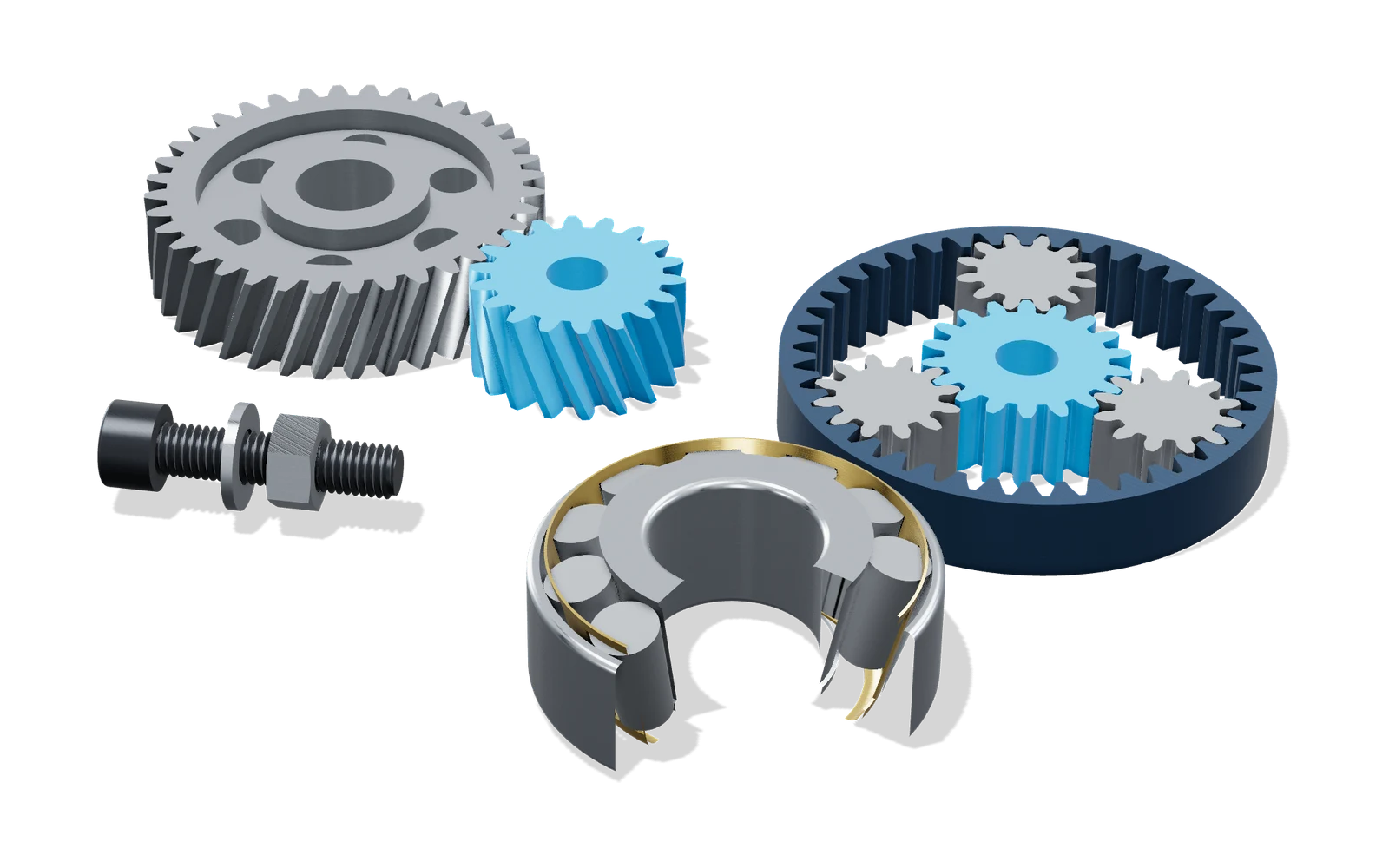
Fasteners, bearings, threads, gears and more, generated to size.
Place components, mate them and explode the assembly.
Projected, section and auxiliary views, dimensions and annotations on standard sheets.
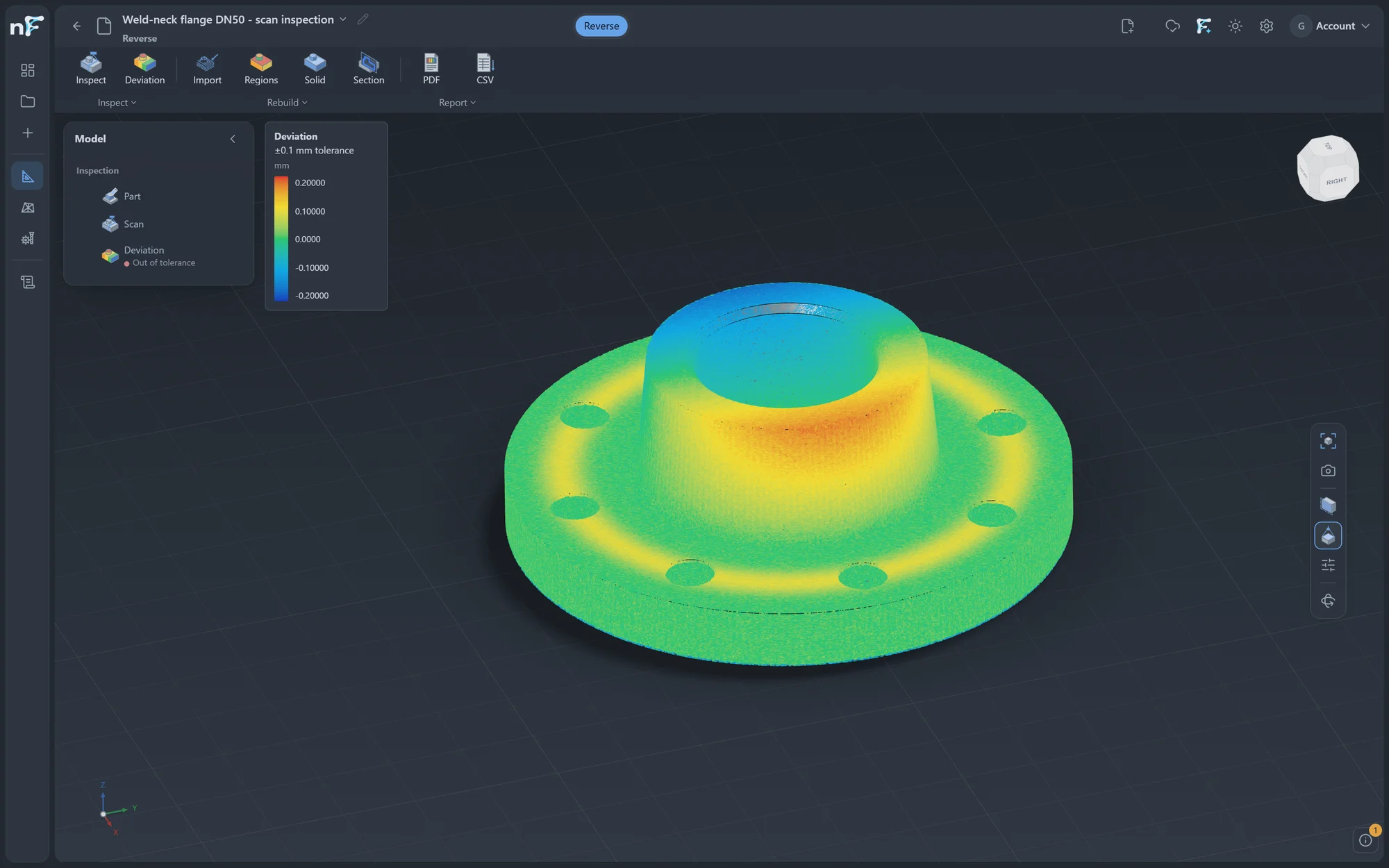
Bring in a scan, find its planes, cylinders and cones, and rebuild the part.
Assembly
A bearing housing on a stepped shaft: housing, tapered roller bearing from the standard parts, cap and screws, exploded along the shaft.
Drawing
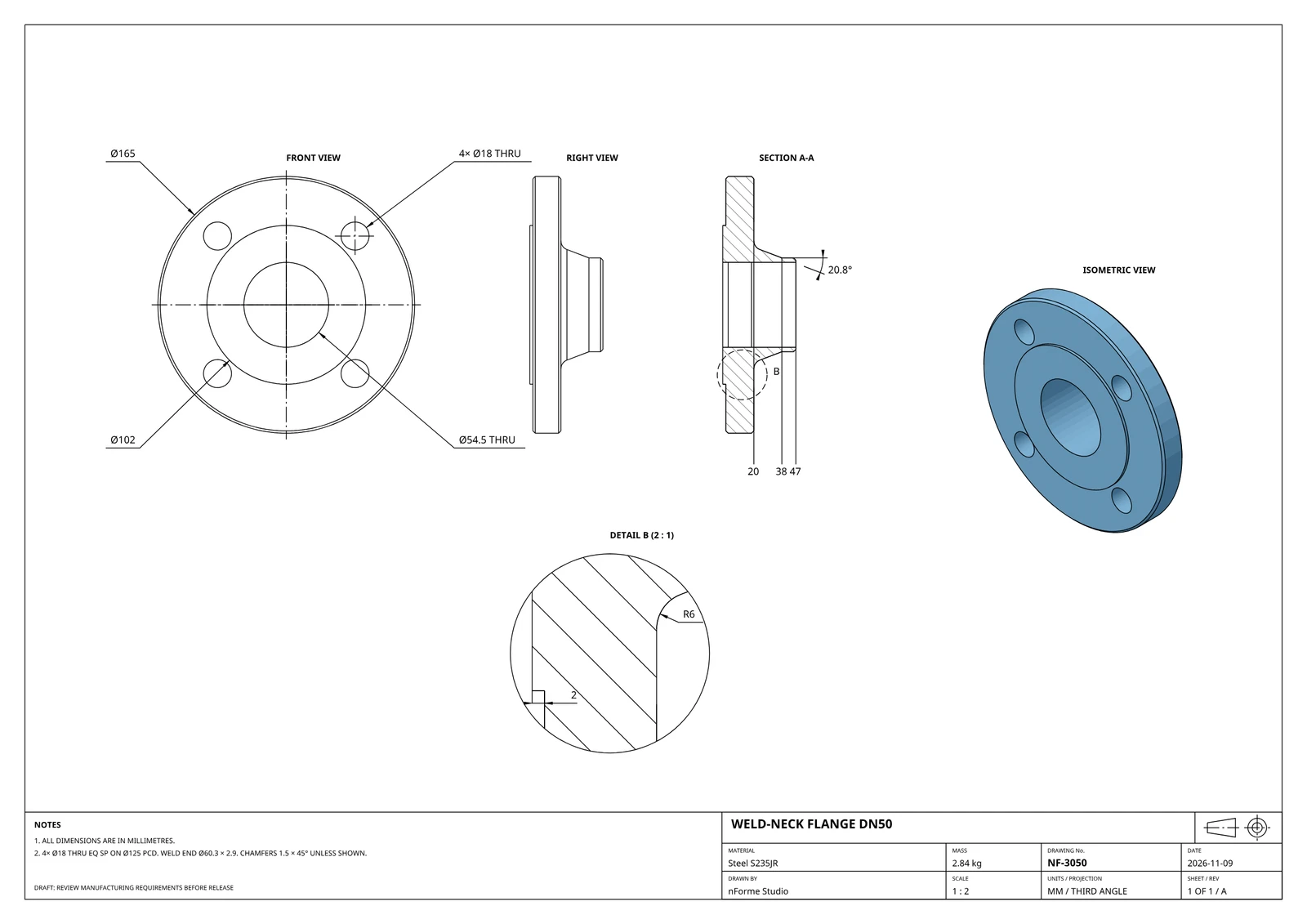
Projected views, section A-A, a 2:1 detail, dimensions and a shaded isometric on an A3 sheet, exported to PDF and DXF.
Reverse engineering
A real scan of 4 million points, sorted into 317 planes, cylinders, cones, spheres and free-form surfaces.
Scan: Artec 3D, CC BY 3.0
02 · Simulate
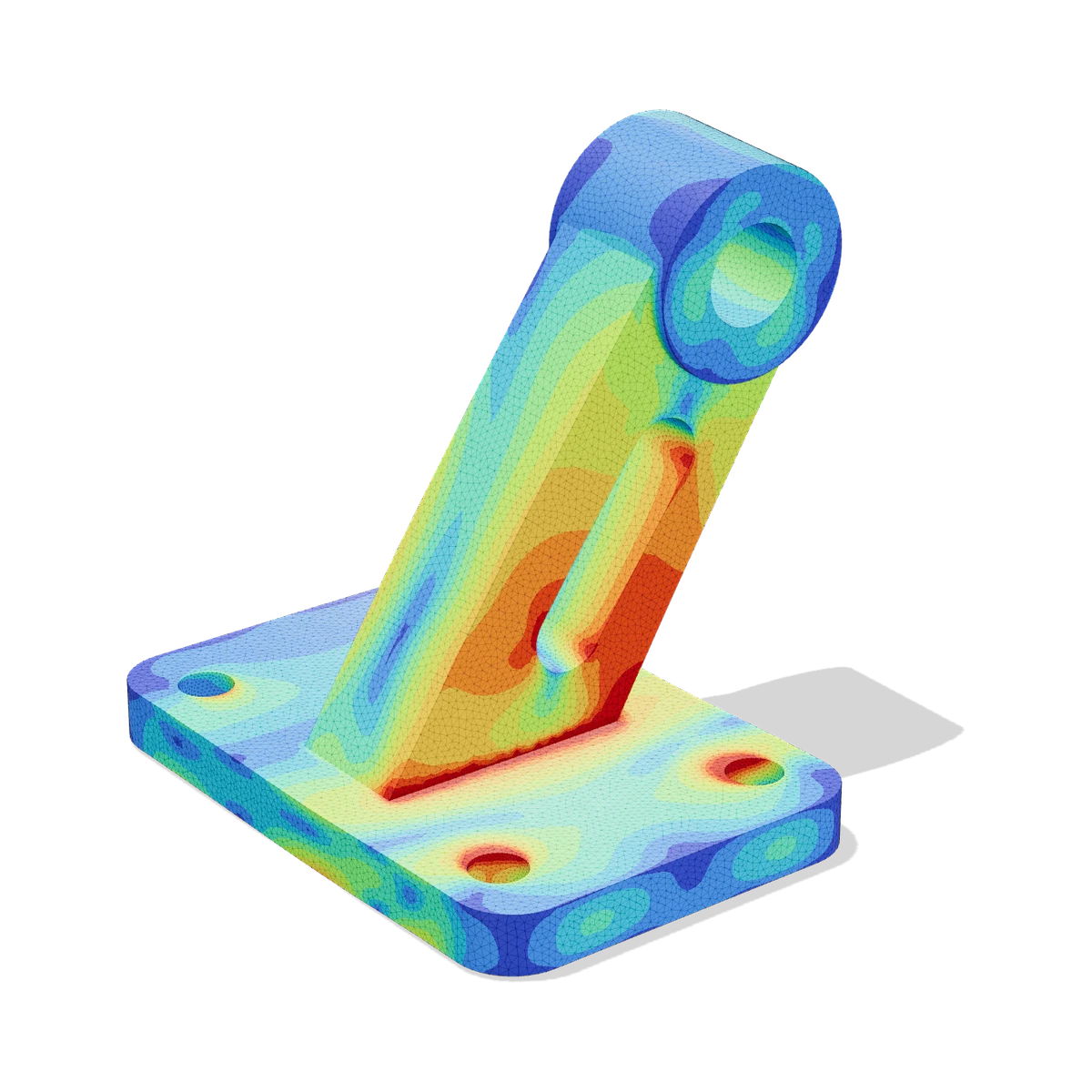
Mesh, solve and read the results on the very model you designed, without handing it to another program. Every result here is a real solve.
Linear static
Al 6061-T6 · four flange bolt holes fixed · 9 kN on the boss bore · peak deflection 0.35 mm, shown ×26
Modal
Al 6061-T6 · base bolt holes fixed · first six modes 1066 to 3097 Hz · twisting mode, amplitude exaggerated
Transient thermal
Al 6061-T6 · 40 W on a 40 × 40 mm pad · 25 W/m²K to 20 °C air · 31.5 to 39.9 °C at 25 min
Loads, supports and materials in; displacement, stress and safety factor out.
Natural frequencies and the mode shapes behind them.
Response to a load that cycles across a range of frequencies.
Steady and transient heat transfer, and the solved temperature carried into a stress study.
03 · Machine
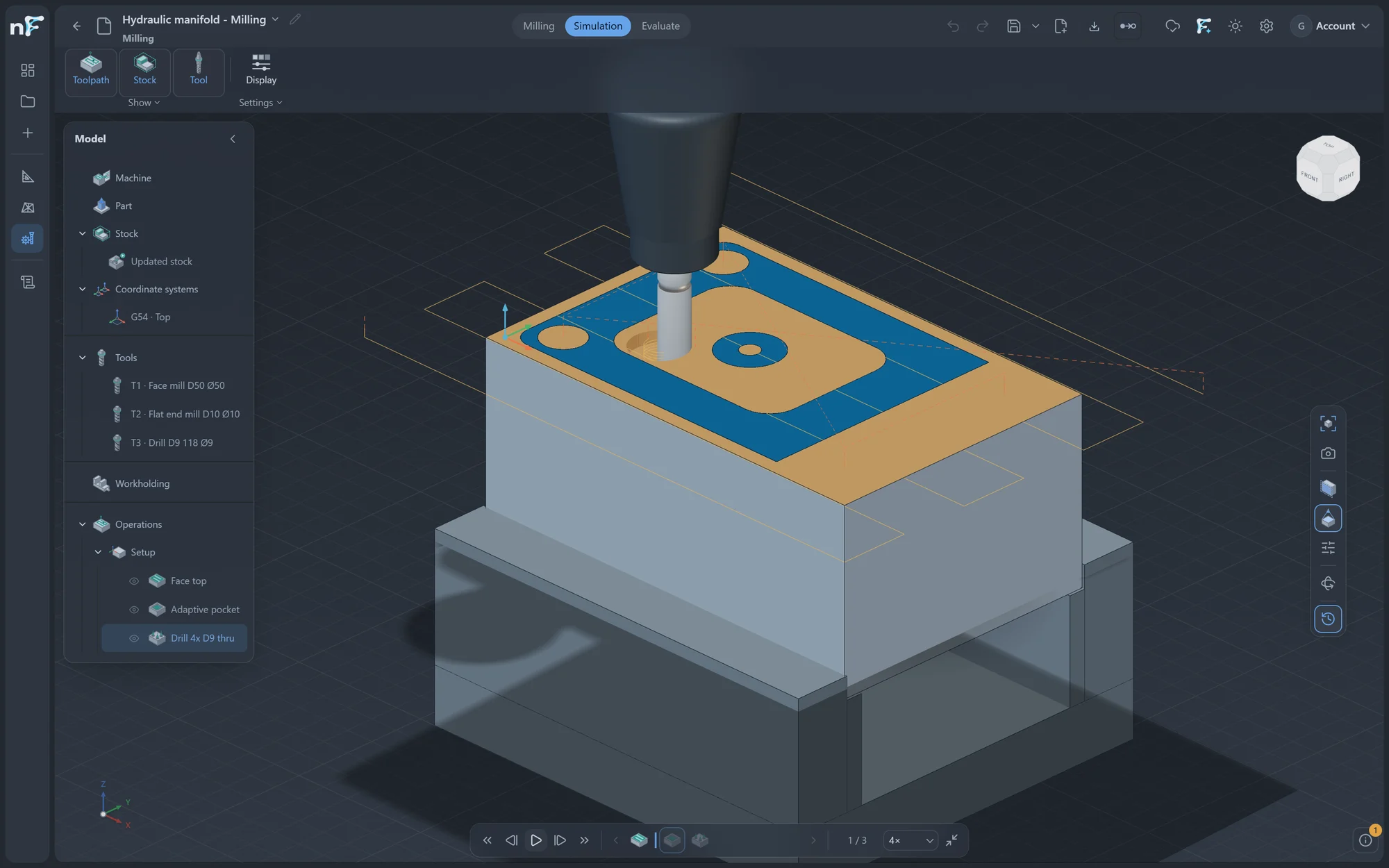
This is the CAM program's own output: a 10 mm end mill clearing the pocket round its island, pass by pass, along the path nForme calculated.
Stock, work offsets and a shop tool table with real cutter geometry.
Facing, adaptive pocketing, contours, drilling and 3D operations.
Watch material come away and check the tool's motion before it reaches the machine.
Made in nForme
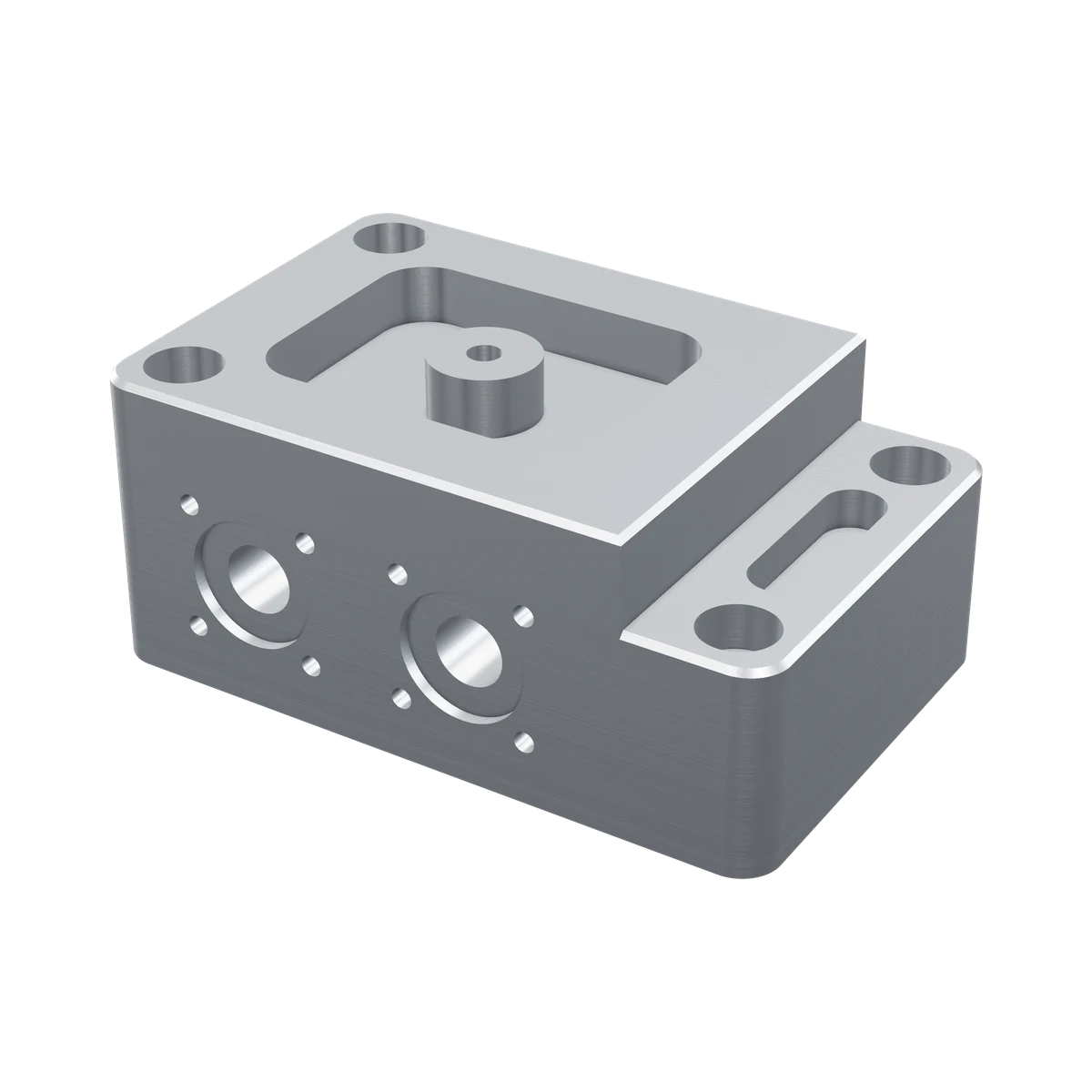
From standard parts to welded frames, mold tooling and sheet metal, every model here was built with nForme's CAD tools.
Demos
Screen recordings from nForme Studio, results as they came out, sped up while the app works.
Case
The MiniCNC-00 full gantry: base plate, side walls, T-slot table, SBR16 rails, ball screws, NEMA 23 motors and the spindle, placed, mated and grouped in the Assembly workbench.
In use
0 people used nForme in the last 30 days.
Desktop · Agent · Cloud
The heavy work runs on your workstation; projects, versions and sharing will be managed in the cloud, so a team works from one set of data.
01
A Windows app that uses your workstation's full power and keeps documents on your disk, for large models and heavy analysis.
02
Cloud data management: projects, versions and sharing across machines and teammates, so everyone works from the same data.
03
One assistant across every workbench, driven in plain language, from design and analysis to milling programs and drawings.
A
Import and export STEP to work alongside the tools you already use.
B
Parts, assemblies, drawings, analyses and toolpaths live in one project and link to each other.
C
Website and support in both languages.
D
Every installer lists its version, size and SHA-256 so you can check the file yourself.
Next
Vary a design's dimensions against your engineering targets and limits.
Find where material is needed inside a design space, and where it is not.
Plans
Download and start free. When you are ready, choose and buy a plan inside the app; it turns on as soon as you pay.
For learning and trying nForme
Every module, your own Claude (MCP), unlimited projects
For daily work
The AI Agent in the app, 300 AI credits a month
Every module, at full depth
Advanced CAE and CAM, 1,000 AI credits a month, new features first
For teams and companies
Many licenses, training and setup for your shop
Design
Simulation
Milling
Drawing
Reverse
AI Agent
Works with your filesSTEP, IGES, STL, OBJ and 3MF in and out · drawings to PDF and DXF · G-code for seven controllers
Every plan: one account on one computer at a time. To move, just sign in on the new one.
Download
The installer is small and downloads the app (about 1 GB) as it installs, then opens nForme.
The first time, your browser and Windows may warn you:
Both appear because the installer is new and not yet code-signed, so Windows does not know it yet. You can check the file against the SHA-256 shown here.
Resources
About
A part is usually designed in one program, analysed in another and programmed for the machine in a third, and every step loses time and information. nForme puts it all in one program: design a part, prove it with analysis, optimise it and make it, with an AI Agent that does each step the way an engineer would.
It is made for machine shops, mold makers and design engineers who want to get from drawing to finished part faster, with confidence at every step.

I started on the factory floor, writing control and fault diagnostics for high-speed assembly machines at Western Digital in Thailand. Then I taught control systems and structural vibration at Suranaree University of Technology, earned my PhD at École Centrale de Lyon in France on shape optimization under uncertainty. Today I am an engineer and researcher in Japan, working in computational mechanics and scientific machine learning.
I built nForme from my own experience in design, simulation and CAM, down to running a VMC myself. The idea is AI that helps with the work and acts as an engineer beside you, helping you decide, for accurate analysis, simulation and design.
FAQ
nForme is a Windows desktop app. Cloud data management (projects, versions and sharing across machines) is coming.
Part design, assemblies, drawings, reverse engineering, structural and thermal analysis, CNC milling and the AI Agent. Shape and topology optimization are coming next.
nForme is free to download and use. Plans and their prices are in the app, under Plans. Buy there by card or PromptPay and your plan turns on right away.
Now, from the Download section on this page. Each installer is listed with its version, size and SHA-256 so you can check the file.
Yes. Screens are captured from nForme Studio, every model is built with nForme's CAD tools, the analysis results come from real solves, and the toolpath is the CAM program's own output. No AI-generated imagery is used.
Support and GPL/LGPL source requests: support@nformestudio.com. Personal data: privacy@nformestudio.com.